How SampleSync Works
From physical sample to qualified specification in 7 steps. See how material producers use QR code tracking to close more deals.
The short version
Put QR codes on your material samples. When architects scan them, they see a branded page with specs and files—and you capture their contact info and engagement data. Follow up when you see repeated scans (that signals active specification). Close more deals.
What it looks like
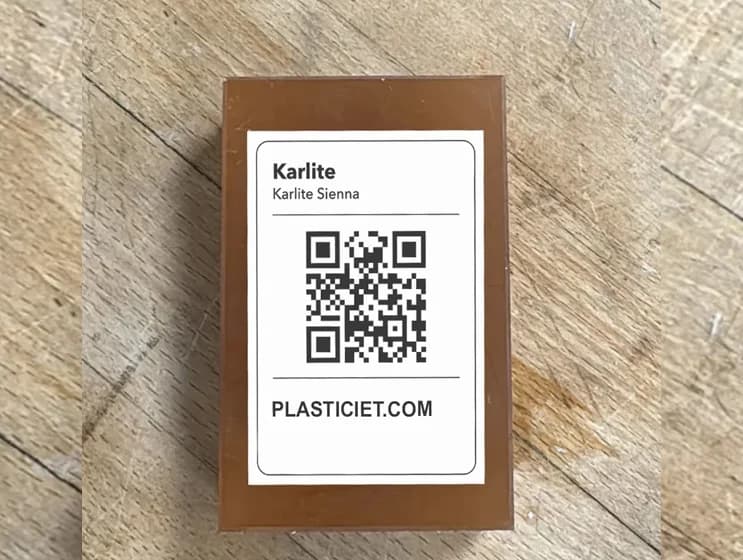
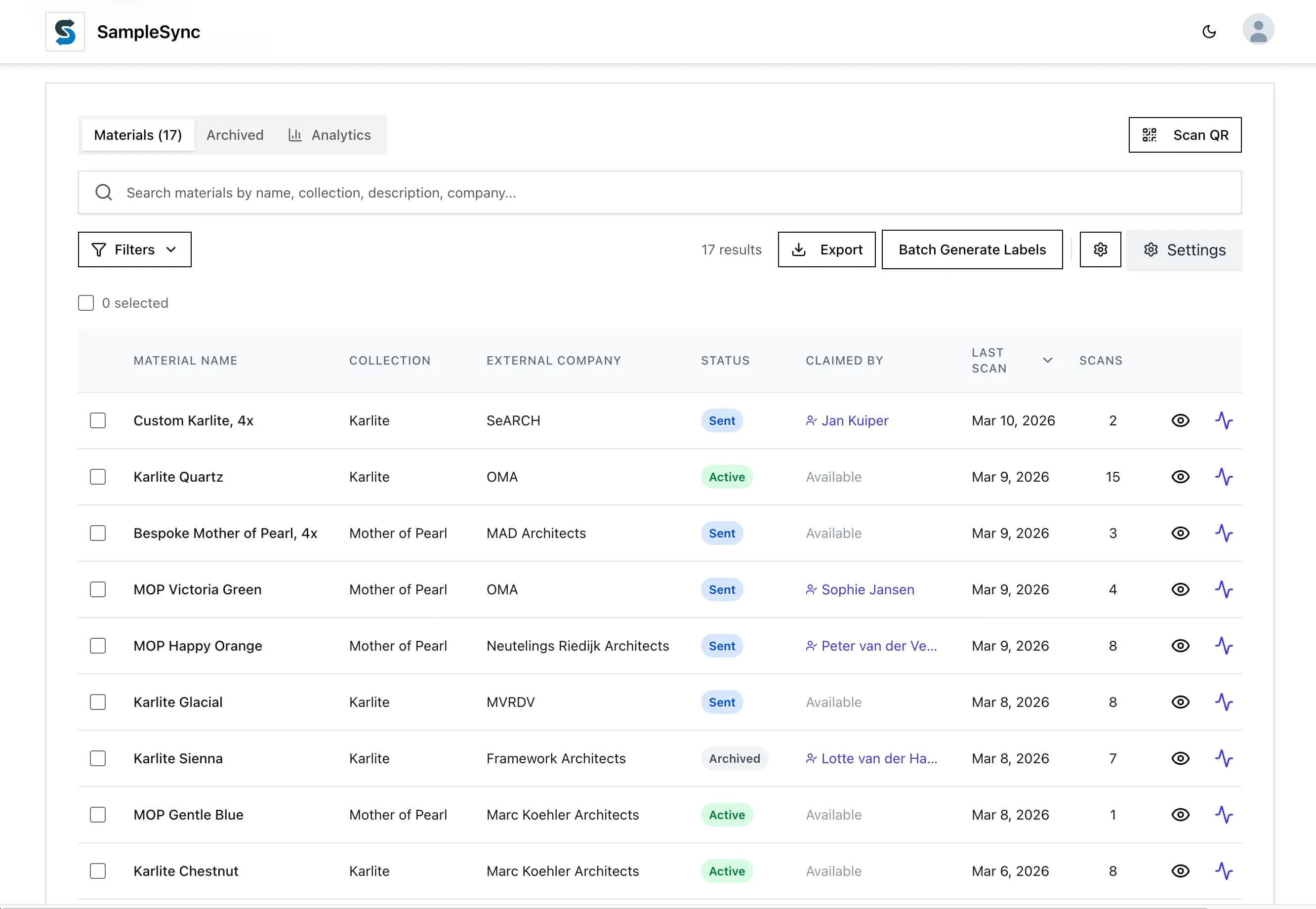
The 7-step workflow
Generate QR codes for your materials
Create unique QR codes for each material type or individual sample. Link each code to a branded material passport with your specs, textures, and files.
Attach codes to your physical samples
Apply QR code stickers, tags, or labels to your samples. No special equipment required—any smartphone can scan them.
Distribute samples as usual
Hand out samples at trade shows, ship them to architecture firms, or display them in your showroom. Nothing changes about your workflow.
Architects scan and register
When someone scans your QR code, they see your material passport. To access full specs and downloads, they register their contact info.
You track engagement in real-time
See who scanned, which firm they work at, how many times they revisited, and which materials they're evaluating.
Follow up at the right moment
Get notified when the same firm rescans multiple times—that's the signal they're in active specification. Follow up strategically.
Close more specifications
With timing data and engagement context, you know exactly when to call, what to discuss, and which prospects are worth prioritizing.
What you get
Real-world example: Plasticiet
What SampleSync tracked:
Oct 19 · OMA Rotterdam scans recycled panel PLSTCT-042 · scan 1
Oct 21 · OMA Rotterdam rescans · scan 2
Oct 27 · OMA Rotterdam downloads CAD files · scan 7
Nov 4 · OMA Rotterdam shares passport with team · scan 14
···
Dec 12 · OMA Rotterdam · repeated scan
Result:
Plasticiet sees the pattern and knows the account is worth direct follow-up.
Without SampleSync, that engagement pattern is invisible. With it, you get the signal you need to follow up with useful context.
Setup timeline
What you need
Material samples: Physical samples you're already distributing
Sample content: Specs, textures, certifications, CAD files (you probably have these)
QR code labels: Stickers or tags for your samples (€0.05-0.15 each)
SampleSync account: Software subscription (scales with usage)
That's it. No special equipment, no integration complexity, no lengthy setup.
Ready to track your samples?
See how SampleSync can help you close more material specifications. Book a demo to see it in action.